Knowledge Base
What does "New route changes logged" mean?
Question
I'm seeing a message on the left that shows 'New Route Changes Logged'. What does that mean?
Solution
Important note: The following information currently only applies to versions 4.12.0 and older of PingPlotter.PingPlotter keeps track of all route changes it discovers when tracing to a target. A route change can occur any time, and happens when packets change the route they take between you and the selected target. This might happen normally (possibly a load-balancing router), or might be an indication that someone fixed a problem or added or removed a peer.
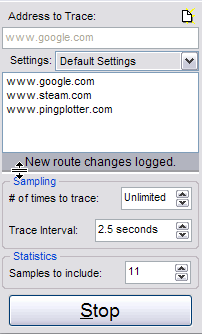
In 3x versions of PingPlotter, when the program sees that a route has changed, a 'New Route Changes Logged' message appears above the control panel on the left.
In PingPlotter v4, when the program detects a route change, the "Routes" button (directly under the "Start/Pause" button) will light up:
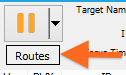
To show the route changes, just click on the "Routes" button, and the route list window will open up on the left side of the program.
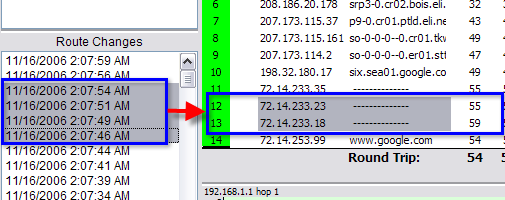
The route list window shows a list of each route change - with the current one being on top. To see what route the data was taken at any time, click on that time in the route change window. The trace graph on the right will display the route being taken at that time.
If you're not looking at the most recent route or time period, right-click on the time graph and select the 'Reset focus to current' option. This will change the upper graph focus period to the most recent samples, and will also show the most recently reported route.
Sometimes, it's hard to see what is different between two routes. To find out, just pick a route and drag the cursor to cover other routes you're interested in comparing (or use the CTRL and SHIFT keys to multi-select routes). The graph on the right will highlight the hops that changed. Once you see the hop that's different, you can toggle between routes by clicking on them.
If the route is changing a lot while you're doing this work, sometimes things can be a bit easier to work with by pausing PingPlotter and then resuming it when you're done.
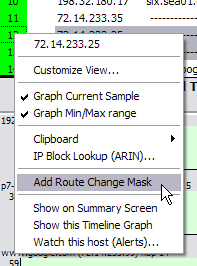
If you're getting a lot of route changes that happen normally (like a load balancing router), you may want to 'mask' these route changes. If you right-click on a hop that has an oscillating router you should get an option for 'Add route change mask' to hide these route changes in the future. If that option doesn't appear, it may be because the IPs are too different and PingPlotter can't see that it's an oscillating router. In this case, try multi-selecting the routes where this oscillation is happening and trying to add the mask again.