

Knowledge Base
"Couldn’t create PingPlotter Object" error with PingPlotter Pro Web Interface using IIS
Question
I'm trying to get the PingPlotter Pro Web Interface to work with IIS, and I'm getting this error: "The call to Server.CreateObject failed while checking permissions. Access is denied to this object." How do I fix this?
Solution
Important note: The following information currently only applies to versions 4.12.0 and older of PingPlotter.You need to grant rights to the web server user to launch PingPlotter
- Run
dcomcnfg (Start -> Run, type 'dcomcnfg ') - Go through 'Console Root', Components Services, My Computer, DCOM Config, PingPlotter - right click on 'Properties'.
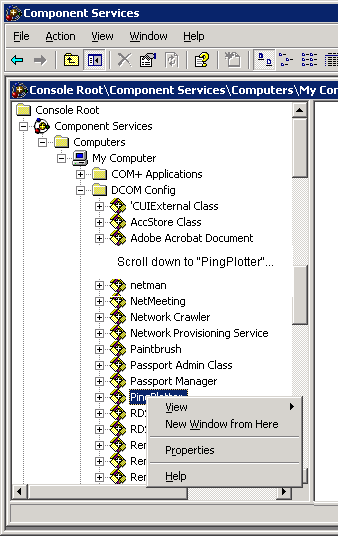
- Go to the 'Security' tab and customize all launch and access permissions - put 'Everyone' for full rights on both sections.
- Test the web interface again.
- If this works, then you can back off the rights a bit. Most people have success granting the user that IIS is running (IUSR_{MACHINE NAME}) as, 'Launch and Activation Permissions:' 'Local Activation' only. If this doesn't work, then contact our support department with the details of your error and environment.
We talk about some of this a bit more in the PingPlotter Pro product manual.